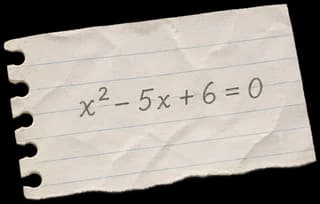
Snap it. See how it’s solved.
Photograph a maths, physics or chemistry question and follow the working, step by step.

- Factorise
- Set each factor to zero or
- Solve or
Get help with any step
Ask dSolve to explain a step more simply, show more detail, or answer your own question about the solution.
Step 2 · Set each factor to zero
Why set each factor to zero?
Two numbers can multiply to zero only if at least one is zero. So find the x that makes the first bracket zero, then the x that makes the second bracket zero.
Practise similar questions
Make a practice test on the same topic. Choose the difficulty, question type, and number of questions. See how you did after each answer.
Try it first
Submit your working for a hint before you see the solution.
Sample test · Integration
Question 1 of 2
Good to know
What can I solve?
dSolve works through maths, physics and chemistry questions from Class 6 through JEE and NEET. Photograph a single question or a worksheet, and add instructions if you want help with a specific part.
Can I type a question or fix a misread photo?
Yes. Type with the maths editor and live preview, or correct the text dSolve read from your photo and solve again.
How are answers checked?
For multiple-choice and numerical questions with a single answer, a second model works out the answer independently.
Can I reopen past solutions?
Yes. Your account keeps your solutions, follow-up questions and practice so you can revisit them later.
How do credits work?
Your account shows the credit cost of each action. If a solve fails or the photo contains no question, the credit is returned.